Scroll less.
Live more.
Set a goal. Pause with a nudge. Celebrate your next mindful choice.
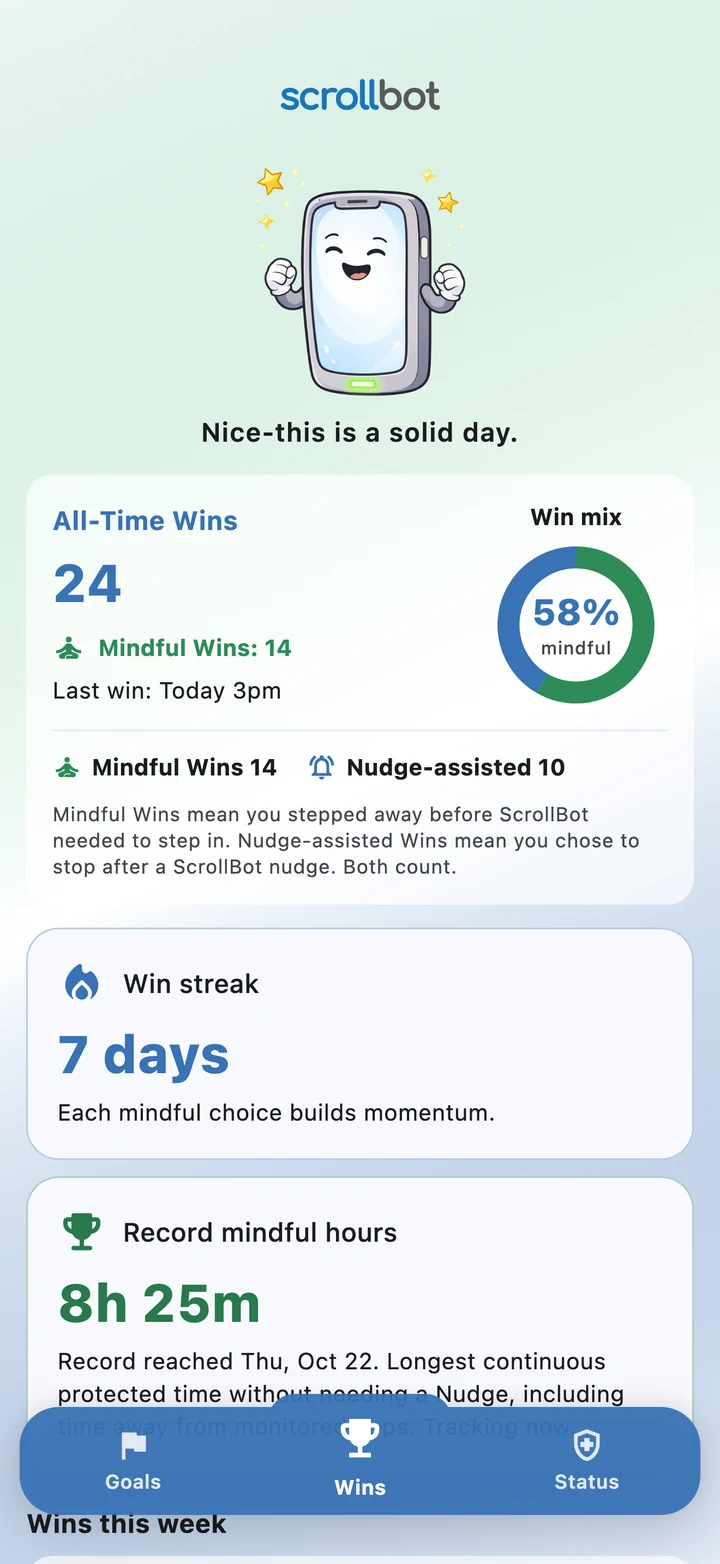

A little bot for a healthier relationship with your phone. Set app-use goals, snap out of the scroll trance, and make room for what matters to you.
Now in beta on Apple TestFlight and Google Play.

Move anywhere · Drag to spin · Click for stars
Move your mouse or finger anywhere on the page to turn ScrollBot. Drag left or right to spin. Click or tap Take the Win on the phone screen for a fountain of stars. Clicking the phone also celebrates. Use the Take the Win button with your keyboard, or press Enter or Space while this mascot is focused. Arrow keys turn the mascot; Home resets the view. Pause animation stops the wave, expression changes, and green LED pulse.
A friendly reminder to come back to your goals.
Set a goal. Pause with a nudge. Celebrate your next mindful choice.
Set a goal. Pause with a nudge. Celebrate your next mindful choice.
Choose your apps. Set your app-use goal, Snooze, and cooldown.
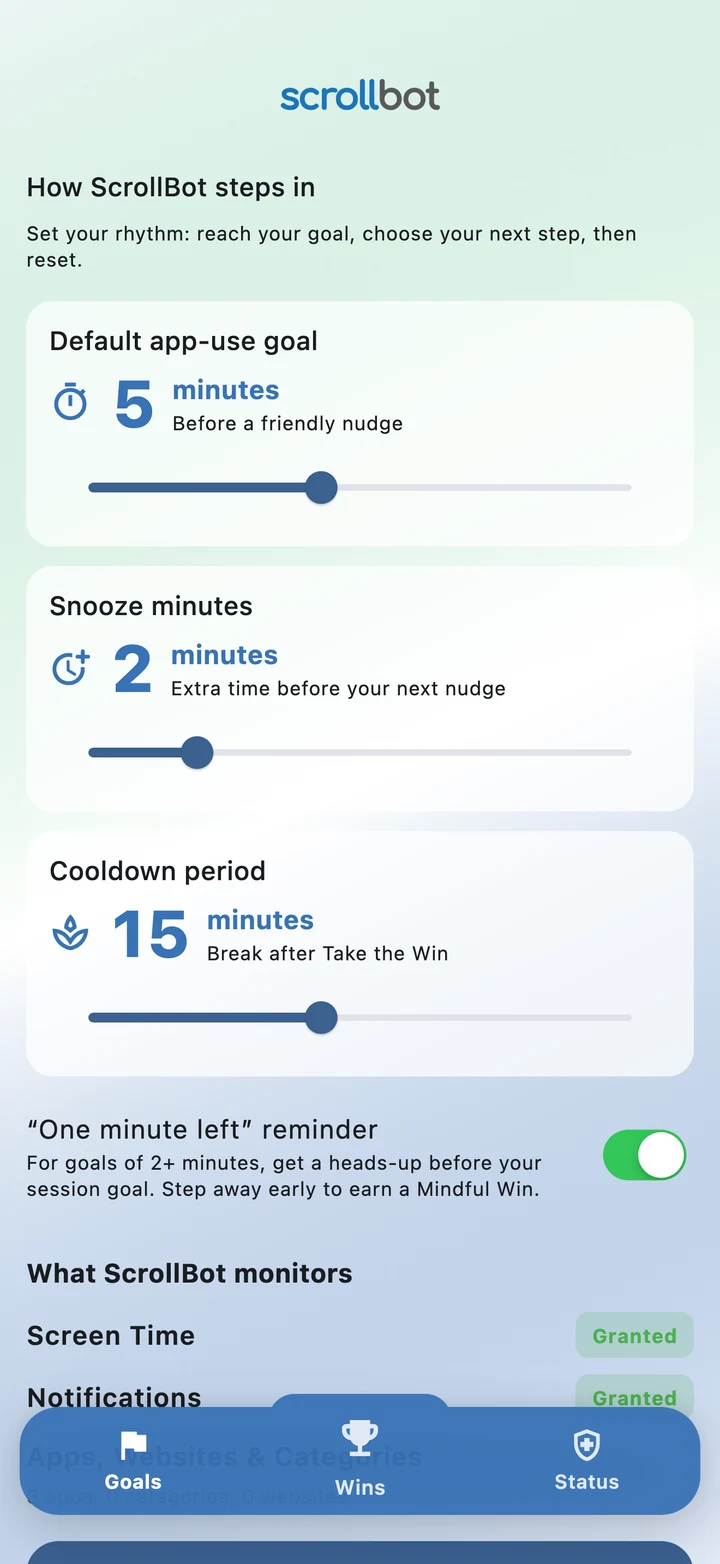
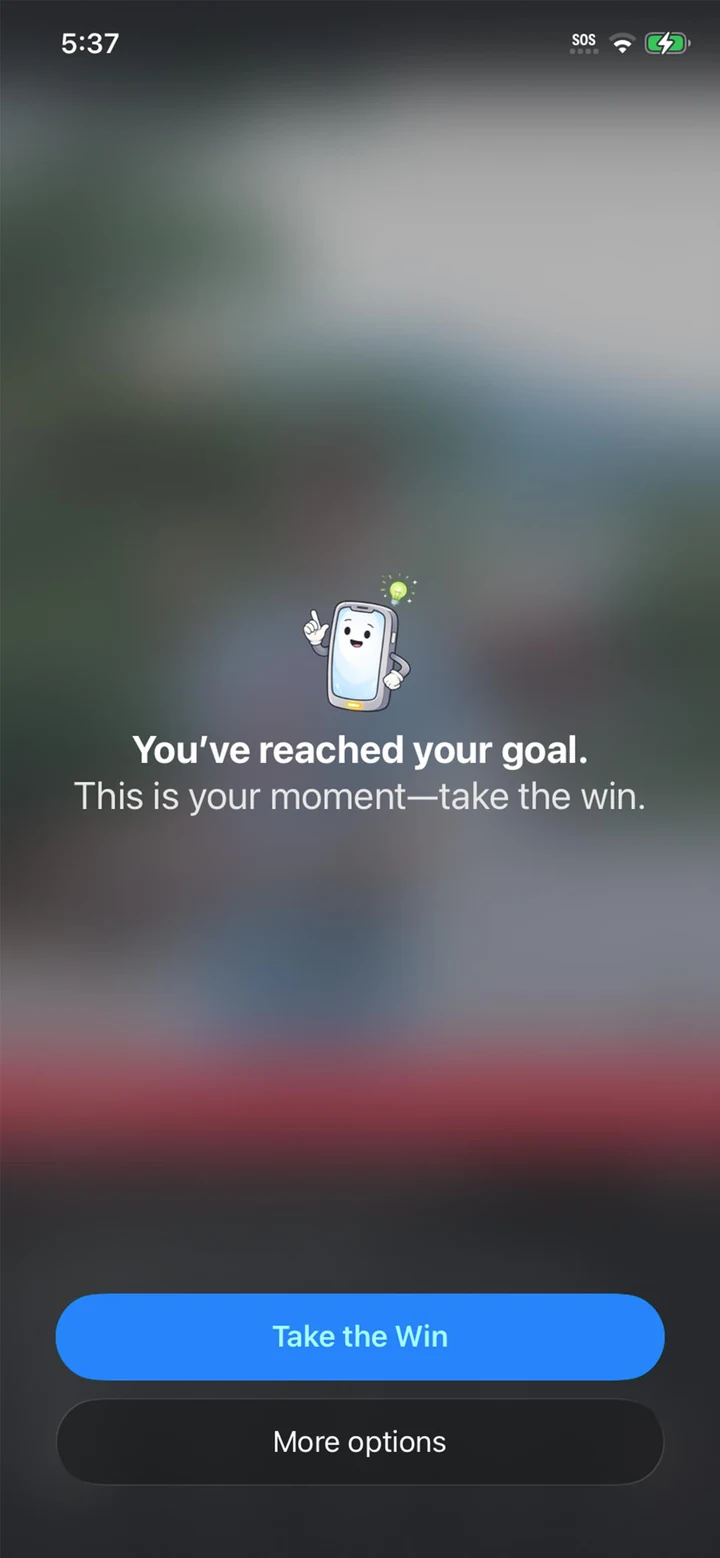
A timely nudge helps you choose when to step away.
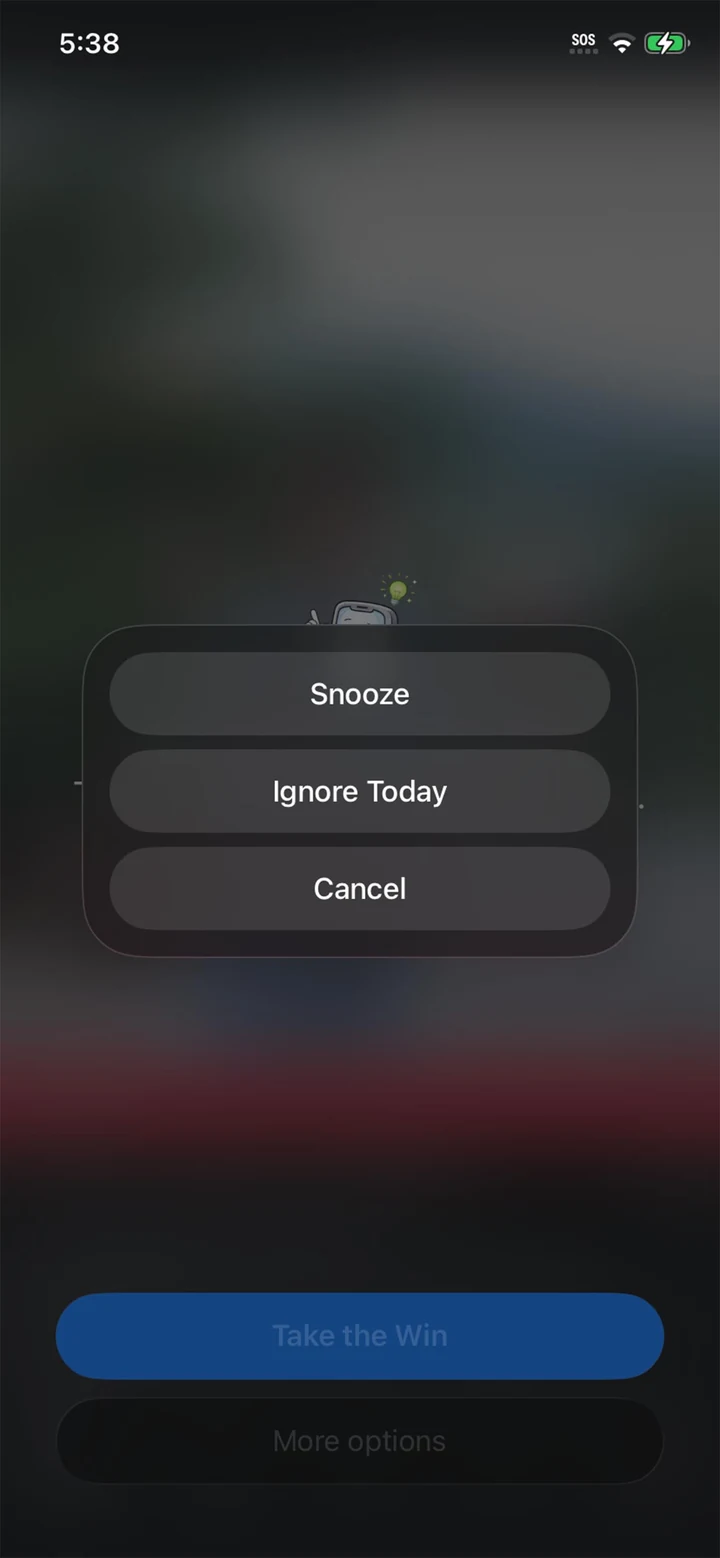
Snooze when you need more time. Your next nudge brings you back.
Cooldown gives your selected apps a break after you Take the Win.
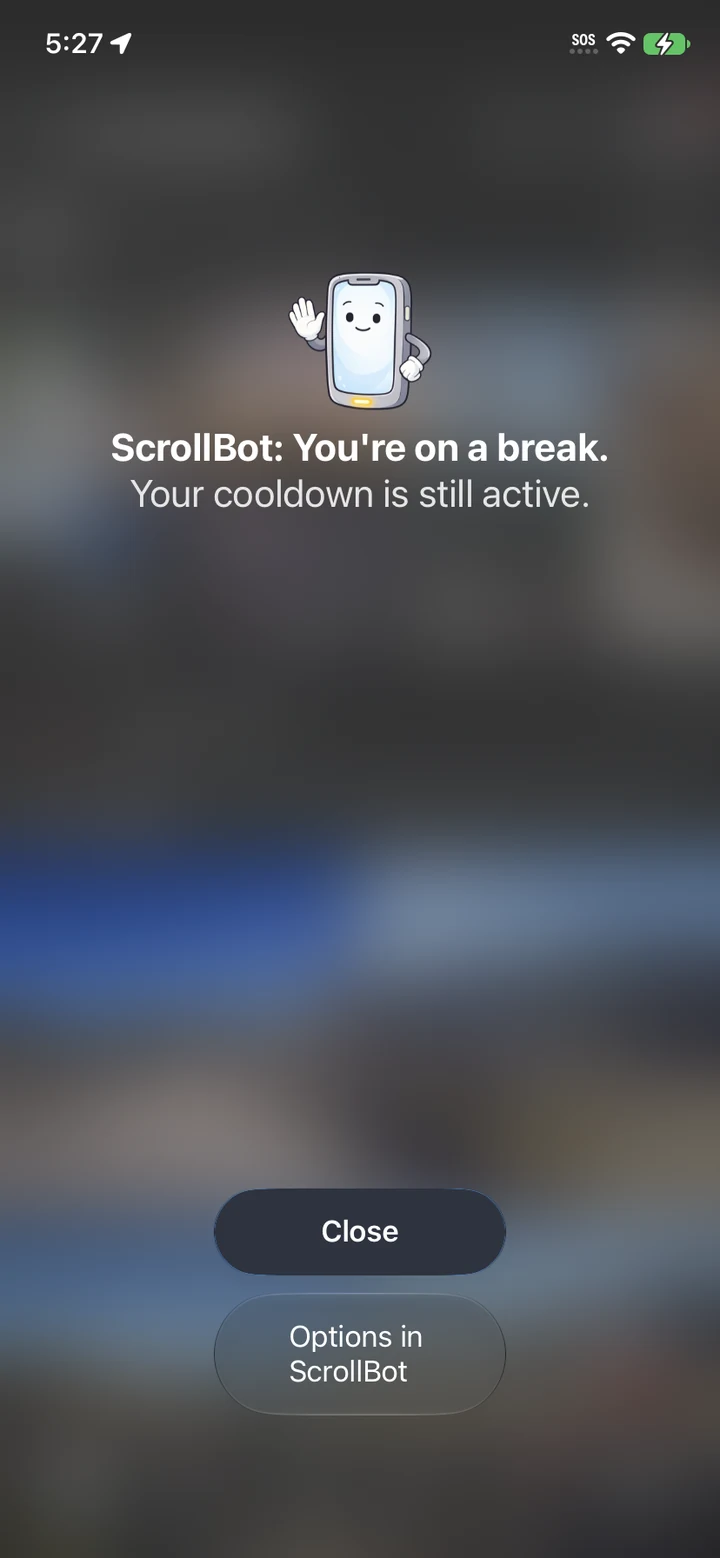
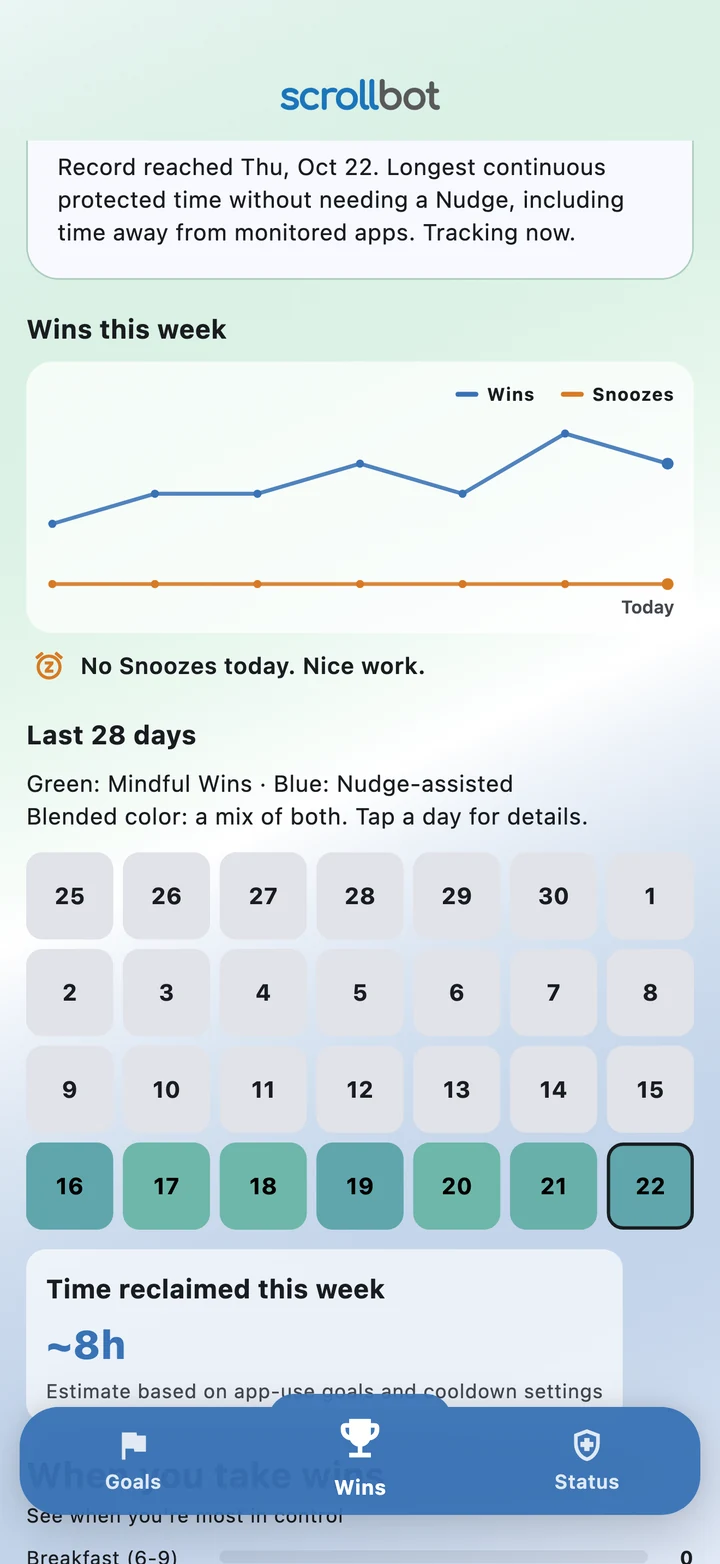
See Mindful Wins, streaks, and your progress over time.
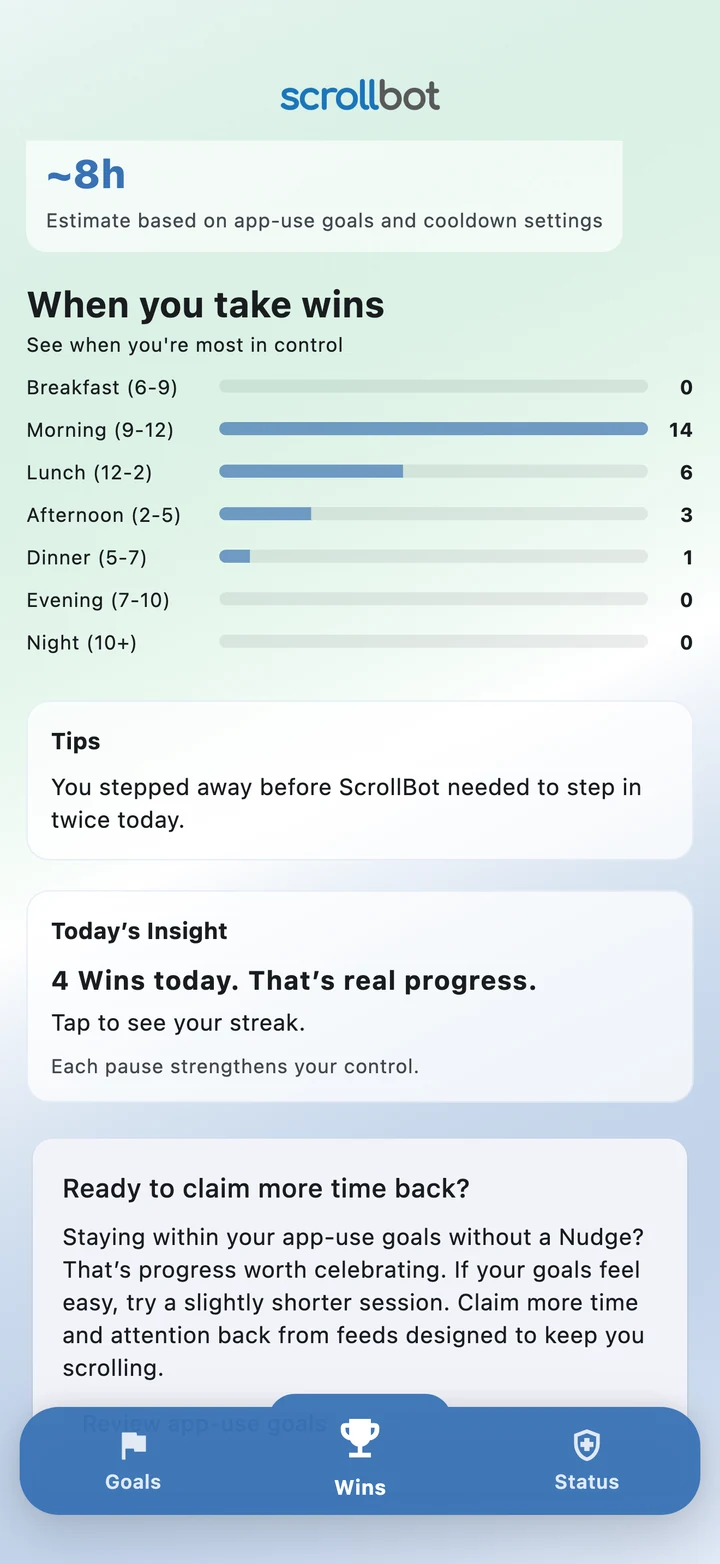
Daily insights and coaching tips make each mindful choice count.
ScrollBot helps you set app-use goals, take breaks, and celebrate progress. ScrollBot Plus brings more of your everyday apps into the plan, with extra flexibility to make it your own.
Your goals. More of your apps.
A simple way to focus on your top distractions.
ScrollBot Plus is an optional in-app subscription. Choose your plan in the app, where prices and any trial terms are shown before you subscribe. ScrollBot Free remains available without a subscription.
Version 1.0 focuses on your own on-device coaching. Here’s where we’re planning to take ScrollBot next.
VERSION 2.0 · TARGET: NOVEMBER–DECEMBER 2026
An optional Accountability Mode for ScrollBot Plus, built around consent and encouragement.
Planned for one monitored device at launch. Check-in gaps can have many causes; they do not prove an uninstall, and immediate alerts cannot be guaranteed.
VERSION 3.0 · FUTURE DIRECTION
Multi-device, cross-platform support so your mindful habits can follow you beyond one phone.
Supported platforms, offline behavior, and cross-device goal rules are still to be defined. No release date is set for version 3.0.
These are planned features, not part of version 1.0. Timing and scope may change as we build and test.
Simple goals. Friendly reminders. Room to make your own choices.
ScrollBot helps you set app-use goals for selected apps, notice when you reach them, and choose a break. The version 1.0 coaching loop includes nudges, Take the Win, Snooze, cooldowns, and progress through Wins and streaks.
ScrollBot uses an interruption at your goal and reminders during cooldown to help you pause. Android uses on-device app-use monitoring and a nudge overlay; iOS uses Apple’s Screen Time permissions and shields. You can choose Take the Win or use the available Snooze and other controls. The experience varies by platform.
You can keep using the Free plan, or choose an optional Plus purchase in the app for additional features. Available plans, prices, and any trial terms are shown before you choose.
Version 1.0 provides coaching on your device. Partner invitations, shared alerts, and an accountability dashboard are planned for version 2.0. Multi-device syncing is planned for version 3.0.
Yes. Open Goals to adjust your default app-use goal, Snooze, and cooldown timing. Android Plus also supports custom app-use goals for individual apps.
ScrollBot is now in beta on Apple TestFlight for iOS and Google Play for Android. Request a beta invite below and we’ll email you with next steps. You can also include friends and family who would like to test it.
Try ScrollBot on Apple TestFlight for iOS or Google Play for Android. Help us make everyday phone use feel a little more intentional.
Tell us a little about your phone and we’ll email you with the next steps for joining the beta.
Trying it together? You can request invites for up to three friends or family members too. Please ask them before sharing their details.
Questions? [email protected]
Fields marked * are required.
Your details are sent to the ScrollBot team at [email protected] to arrange beta access. Privacy policy.